3D product rendering is a way to create real-looking product images on a computer. It lets brands show their products without a photo shoot. These images can be used on websites, online stores, ads, social media, and in print.
Instead of taking a photo, a designer builds a 3D model of the product. They add colors, textures, light, and a scene to make it look real.
This means a business can make high-quality product images even before the item is made.
What Is 3D Product Rendering?
3D product rendering turns a digital 3D model into a finished image.
First, a designer builds a model that matches the real product. Next, they add colors, textures, and surface details.
For example, a furniture brand can make a 3D chair and add wood, leather, metal, or cloth.
The designer then sets up the light and picks a view. The computer uses these details to create the final image.
With the right skills and tools, a 3D image can look much like a real photo.

How Does 3D Product Rendering Work?
The process has five main steps.
1. Create the 3D Model
First, the designer makes a digital model of the product.
The model must match the real item’s shape, size, and key details. CAD files, design plans, sizes, and product photos can help make the model more true to life.
2. Add Colors and Textures
Next, the designer adds colors and surface details to the model.
Each type of material looks and reacts to light in its own way. Glass has a shine, metal can reflect its space, and wood has a grain pattern.
These details help the image look real.
3. Set Up the Lighting
Light plays a key role in how a product looks.
Designers can use soft light, bright studio light, or light that suits an outdoor scene. They can also add shadows and highlights to show the shape and fine details of the item.
Good lighting helps the product look clear and real.
4. Choose the Camera Angle
A digital camera sets the view of the product.
Designers can show the front, side, top, or back. They can also make close-up views or show the product from an angle.
One 3D model can be used to make many views. This saves time and keeps the images in the same style.
5. Render the Image
In this step, the computer brings the model, colors, textures, light, and camera view together.
The result is the final image.
Images with more detail, complex light, and rich textures may take longer to make.
Benefits of 3D Product Visualization
3D product visualization gives brands more control over how their products look.
One key benefit is that changes are easy to make. Designers can change colors, finishes, light, and backgrounds without making a new model each time.
For example, a brand that sells a product in five colors can make images of all five from one 3D model.
Brands can also make product images before the item is ready to sell. This helps teams plan ads and build online store pages ahead of launch.
3D Product Rendering vs. Product Photography
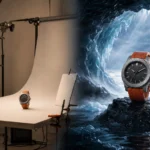
Product photos need a real item, a camera, lights, and a place to shoot. This works well when a product is ready to use.
But a photo shoot can be hard to plan if the item is still in design, comes in many styles, or is large and hard to move.
3D product rendering offers another way to make product images.
Brands can create images without sending items to a photo studio. They can also update the images when a design changes.
A single 3D model can be used to make many views and styles. This is useful for brands that need a large set of images with a clear, shared look.
How to Create Realistic 3D Product Images
Realistic 3D images aim to look like real photos.
To get this look, designers must pay close attention to a few key details.
- Materials: Each surface should look true to life.
- Lighting: Light and shadows should look natural.
- Textures: Details should match the real product.
- Reflections: Glass and metal should reflect light in the right way.
- Shape and size: The model must match the real item.
- Fine details: Small marks and surface changes can make an image feel more real.
When all these parts work well together, the final image can look like a real photo.
Where Is Product Rendering Used?
Brands use 3D product images in many ways.
E-Commerce
Online stores use product images to show items from many views. This helps buyers see the shape, color, and key parts before they buy.
Advertising
Brands use 3D images in online ads, social media posts, print ads, and other marketing work.
Product Design
Design teams can view a product before it is made. They can test ideas, spot issues, and make changes early.
Catalogs and Sales Presentations
3D images can be used in catalogs, brochures, sales decks, and product guides. They help teams show products in a clear and neat way.
Why Use 3D Rendering Services?
A 3D rendering service can help brands make high-quality product images that look the same across all channels.
Instead of making each image from scratch, a team can use one 3D model to create many types of content.
For example, the same model can be used for:
- Online store images
- Ad campaigns
- Social media posts
- Product videos and animations
- Lifestyle scenes
- Different product colors
- Close-up views of key features
This makes the 3D model a useful asset that can support many future needs.
How to Get Better Product Images
Good results start with clear details and a clear plan.
Share CAD files, design plans, sizes, product photos, and material samples with your 3D design team when you have them.
It also helps to share the look you want.
For example, a plain white background may work best for an online store. A home or outdoor scene may be better for an ad.
Tell your team where you plan to use the images. A website, social media post, print ad, and large banner may each need a different size or level of detail.
Clear goals help the design team make images that fit your needs.
How 3D Rendering Helps Marketing
Good product images help brands show what makes an item stand out.
Online buyers cannot touch or test a product before they buy it. Clear images help them see its shape, color, texture, and key features.
Brands can also use close-up views to show small details that may not be clear in a standard image.
Using the same 3D model across a website, ads, catalogs, and social media also helps keep the brand’s look neat and consistent.
Final Thoughts
3D product rendering gives brands a simple and flexible way to make high-quality product images.
It can help with product design, online sales, ads, and other marketing work. One 3D model can also be used to make many images in different styles and views.
With the right model, colors, textures, and light, brands can make images that look real without relying only on photo shoots.
Need Professional 3D Product Visualization?
RDC Design Group makes realistic 3D product images to help brands show their products before or after they are made. These images can be used for online stores, ads, and other marketing needs.
Whether you need clean product shots, close-up views, or lifestyle scenes, our team can help bring your ideas to life.
Contact RDC Design Group to discuss your project and find the right 3D product rendering service for your website, ads, and sales needs.
FAQs About 3D Product Rendering
01. What is 3D product rendering?
3D product rendering is the process of making digital images from a 3D model. These images can look much like real product photos.
02. What is the difference between 3D modeling and rendering?
3D modeling is the process of making a digital product. Rendering turns that model into a finished image.
03. How real can 3D product images look?
With the right model, colors, textures, and light, 3D images can look very close to real photos.
04. Can product colors be changed?
Yes. Designers can often change colors, finishes, and materials without making a new model.
05. Can 3D rendering replace product photography?
Yes, in many cases. It works well for products that are not made yet or need many views. Real photos may still be better for some projects.
06. How are 3D product images used?
They are used for online stores, websites, ads, social media, catalogs, sales talks, and product design.